Interactive 3D Web Portfolio
Interactive Portfolio Website
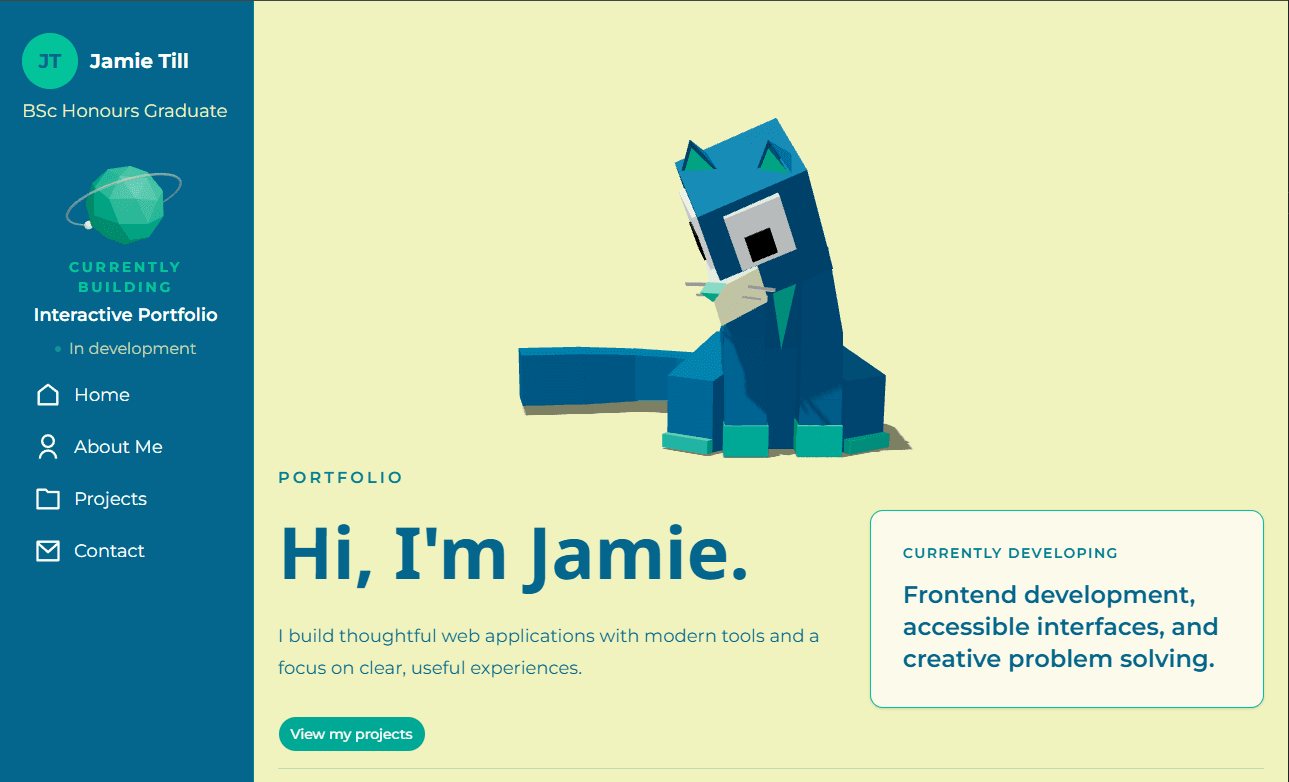
This portfolio website was built with Next.js and TypeScript with a focus on interactive design and interesting visuals to show off a little and grab users attention. It features custom 3D models created and rigged in Blender, rendered in the browser using Three.js and React Three Fiber. The site includes an interactive animated cat that reacts to and plays with a physics-based yarn ball controlled by the user's mouse, along with other visual elements such as a rotating media carousel and animations.
Date
October 2026
Role
Designer & Developer
Type
Personal Project
01
About the project
It feels a little strange writing *about* this website on this website. I created this portfolio as both a place to present my work and explore an opportunity to create a different kind of website than the typical. If I wanted to impress users, I decided it would be best to create engaging and creative visuals with interactive 3D elements.
02
The 3D Cat
Inspired by an old wallpaper I used to use, I dedcided to create a simple, 3D cat to introduce users on the opening page. The 3D elements were created and rigged in Blender before being exported for use on the website.
03
Bringing 3D to the web
The 3D scene is rendered in the browser using Three.js and React Three Fiber, allowing the models and animations to exist alongside the rest of the Next.js interface. The cat was animated through the armatures as part of the models. Animations for tail wagging, blinking, and interactions with the ball were all done as part of the component. Alongside this, a
04
Interactive cat
The cat reacts to a yarn ball controlled by the user's mouse. Its head follows the ball, and when it gets close enough, the cat will reach out, grab it, and eventually let it go again.
05
The rest of the website
Outside of the 3D elements, I built the rest of the site using Next.js, TypeScript, and Tailwind CSS. I wanted the design to feel fun and personal while keeping everything easy to navigate.
06
Putting my work on display
The projects section gives each project its own page with screenshots, details, and links to the live versions or source code. I also added tag filters to make it easier to find projects by the technologies I've used.
Explore the project